Overview
Codex Switch lets you use your own model providers in Codex App. Add an API key and models, select configurations, then enable the service. Turn it off to restore your original settings.
macOS first launch: The unsigned Beta may show “damaged and can’t be opened.” See QA: how to open the app for verification and opening steps.
Setup walkthrough
Section titled “Setup walkthrough”Click “Add configuration” on the Codex Switch home screen to get started.
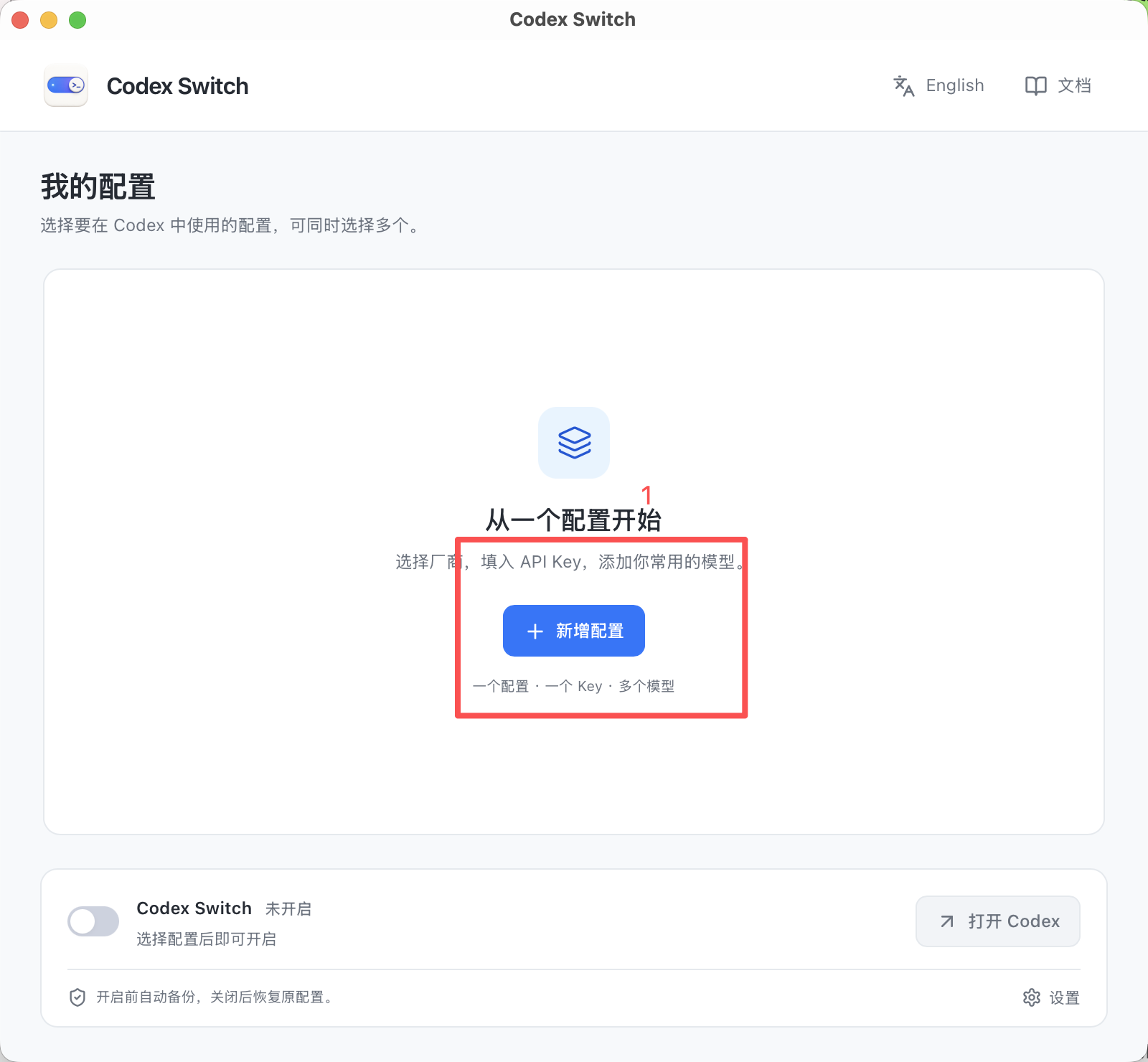
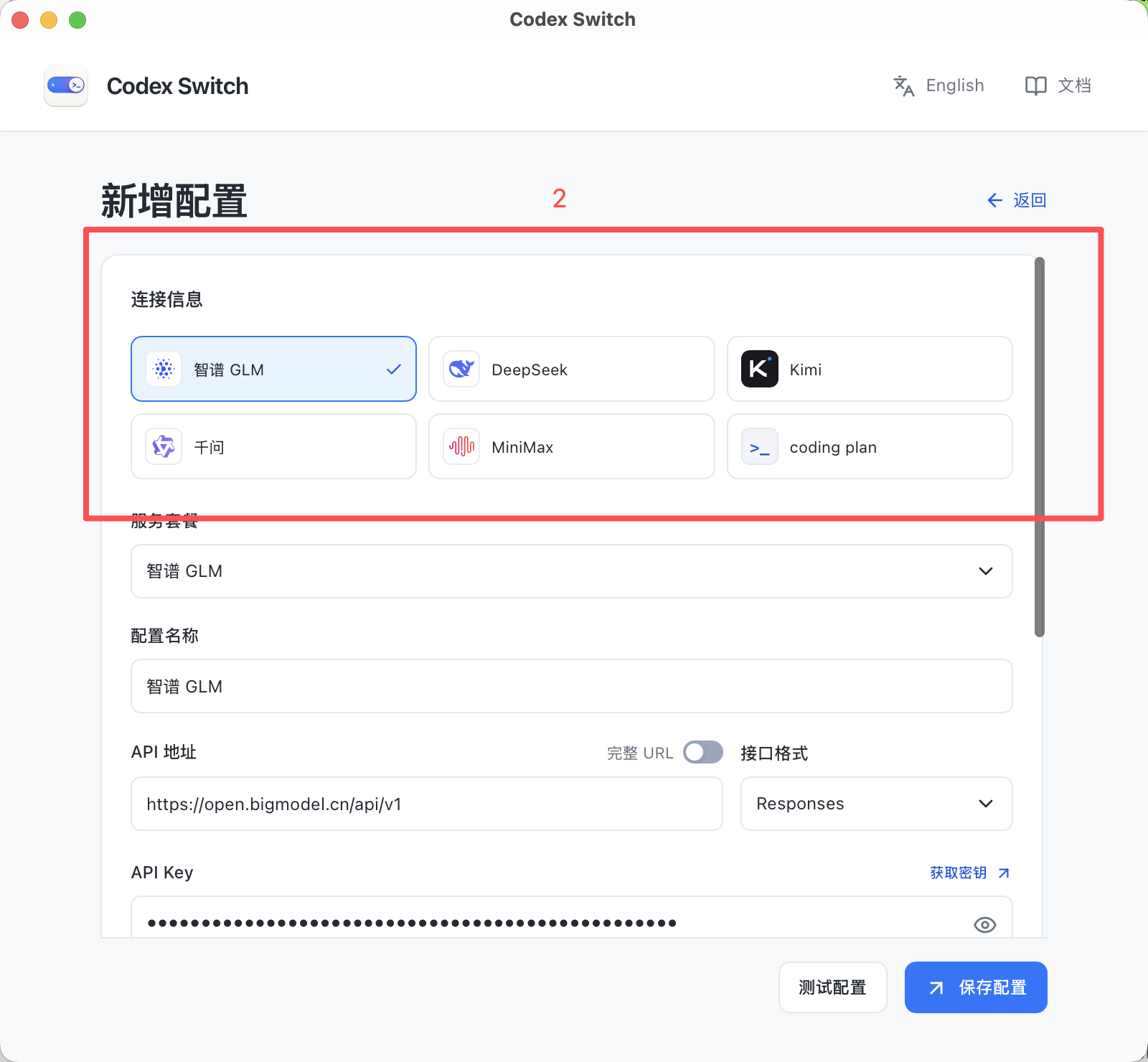
Choose a provider and the service or plan that matches your API key.
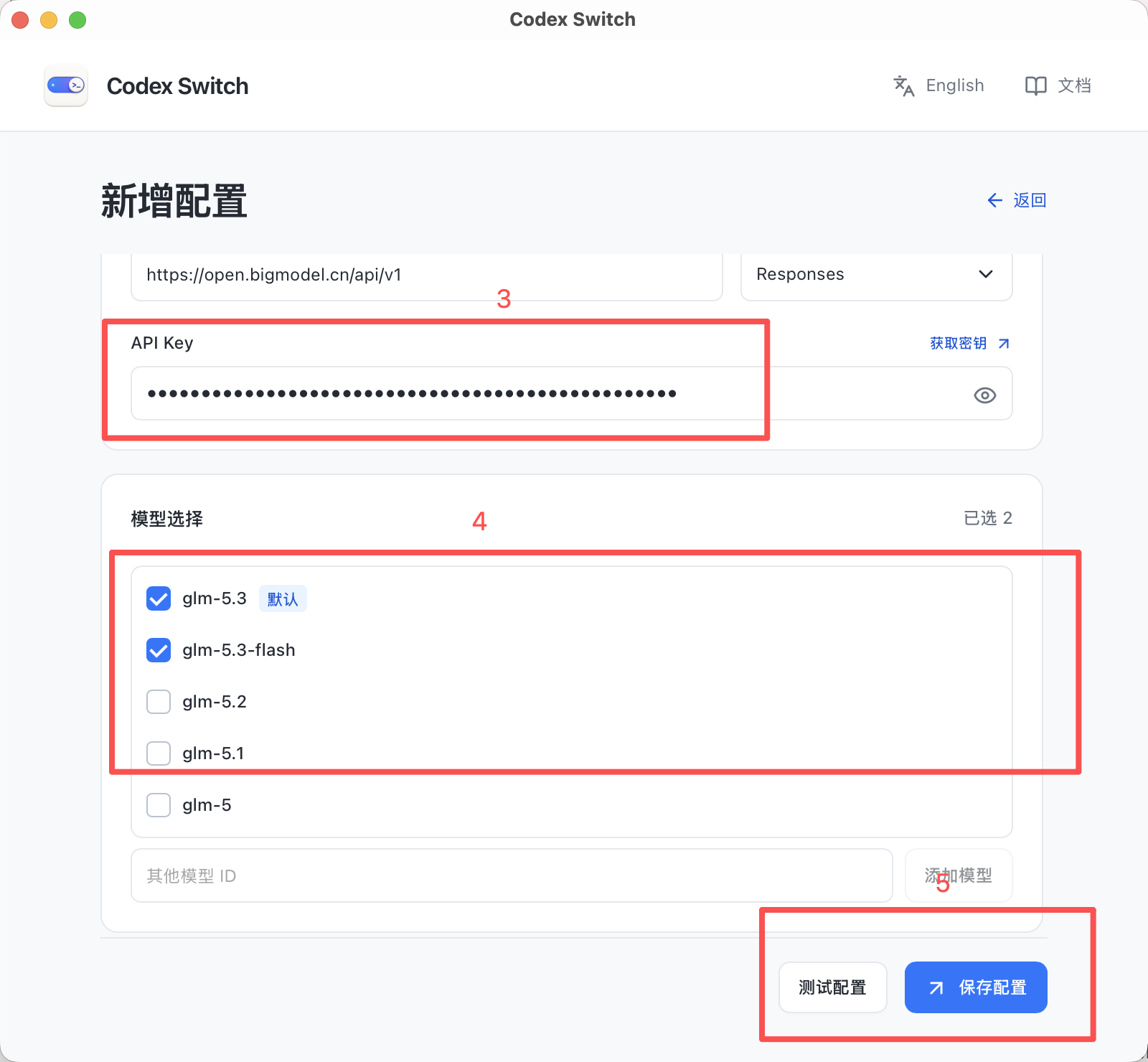
Enter your API key, select the models you want to use, then test and save the configuration.
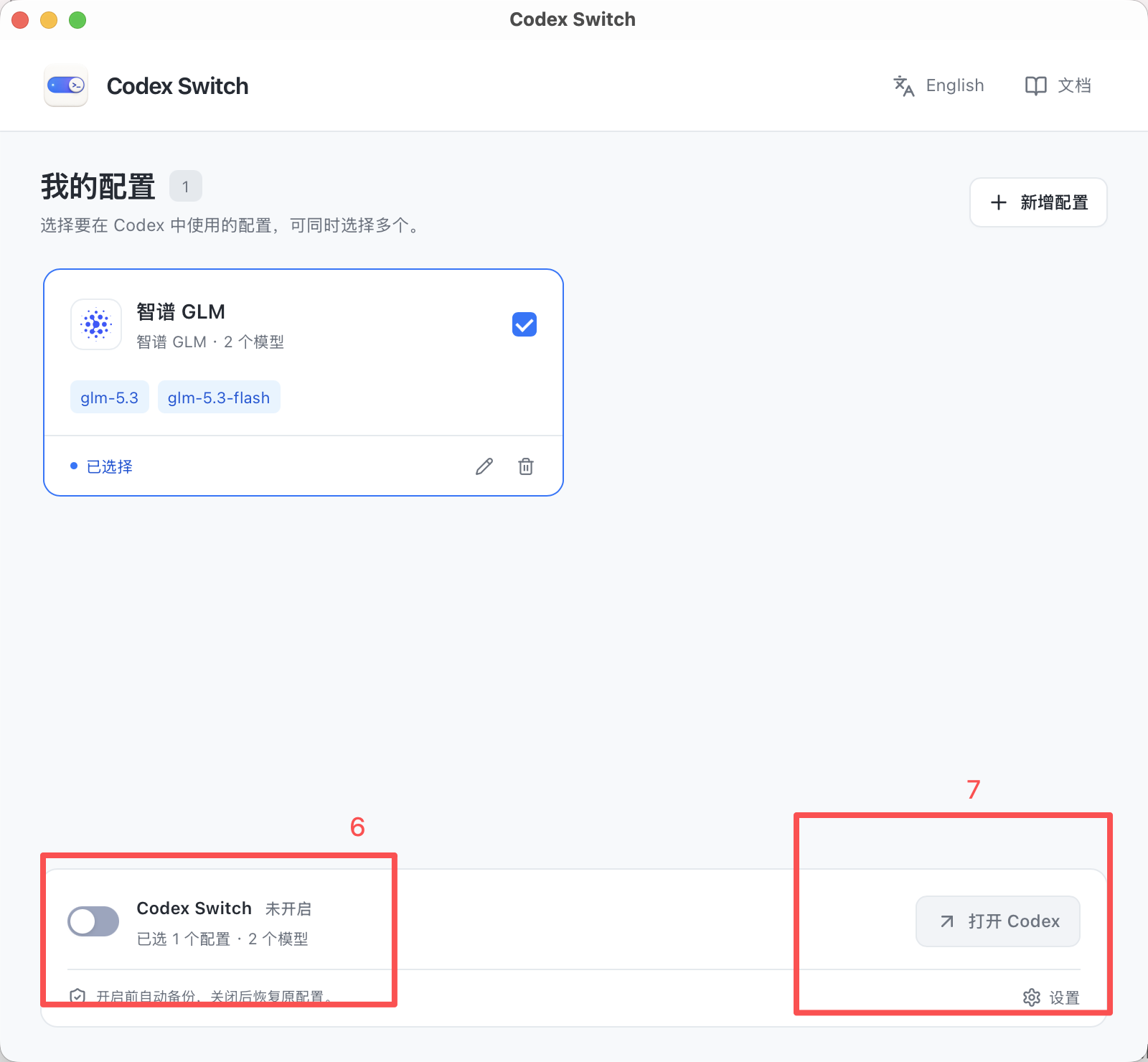
Make sure your configuration is selected, turn on Codex Switch, then click “Open Codex”.
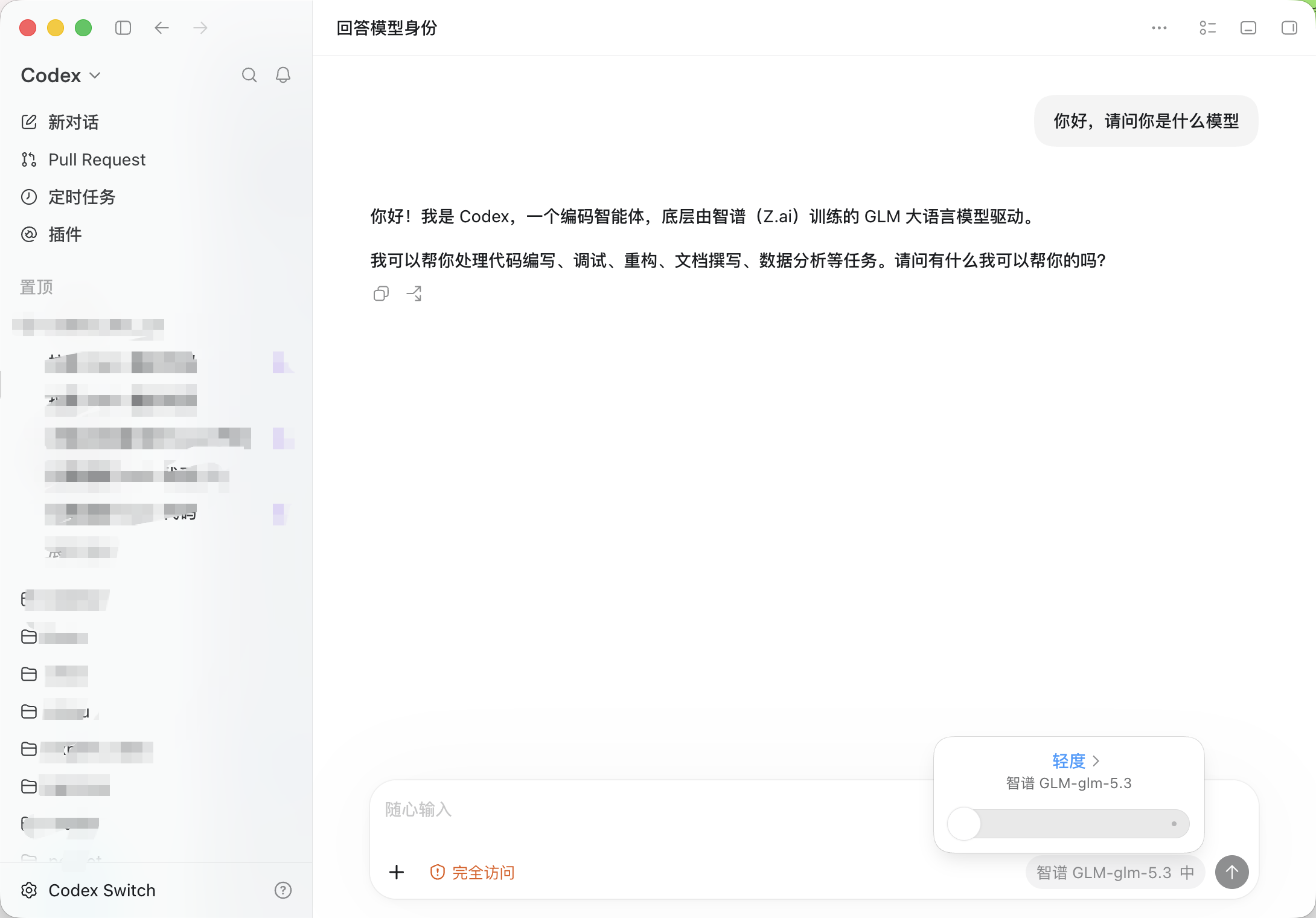
Choose your configured model in Codex and send a message to start using it.
Click an image to enlarge. Screenshots show the Chinese interface.
Key features
Section titled “Key features”- Multiple providers: connect Zhipu GLM, DeepSeek, Kimi, Qwen, MiniMax, plans and custom APIs.
- One key, multiple models: choose several models per configuration and enable multiple configurations together.
- Automatic recovery: back up before enabling and restore when disabling. Turn off the service before editing. Codex login and session files stay unchanged.
- Local management: keys stay in the system credential store; requests go from your device to your chosen provider.
- Chinese and English: both the app and docs support two languages. The app remembers your choice.
Before you start
Section titled “Before you start”v0.3.0 is available for macOS (Apple Silicon and Intel) and Windows x64. See installation for setup and unsigned installer notes. The app targets Codex App. CLI and IDE extension compatibility is not guaranteed.
The project references and reuses parts of CC Switch. See open-source credits. Codex Switch is an independent community project, unaffiliated with OpenAI.