Connect providers
Choose the provider and plan before entering its key. Pay-as-you-go APIs and subscriptions may use different keys, URLs and models.
Built-in providers and plans
Section titled “Built-in providers and plans”Click Add configuration and choose Zhipu GLM, DeepSeek, Kimi, Qwen or MiniMax. The app fills in the URL and model presets.
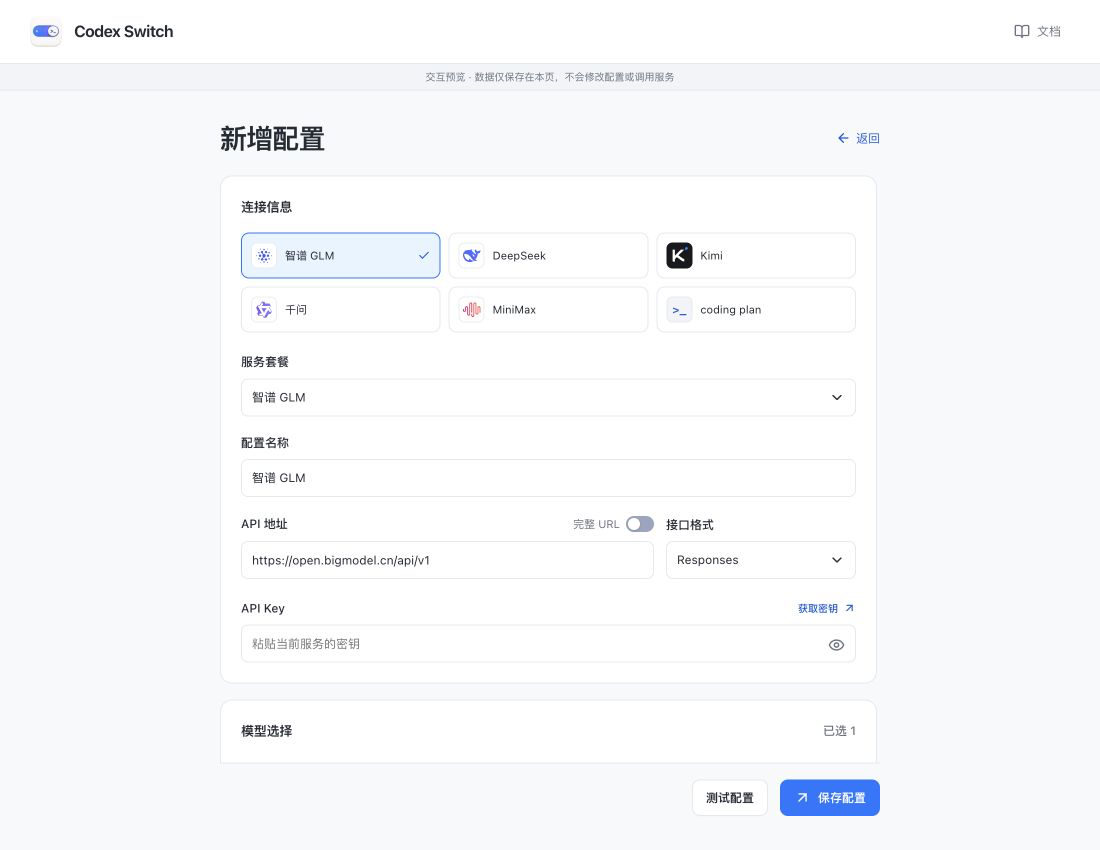
Screenshots show the Chinese app in browser preview with example data and simulated connection states. Click to enlarge.
For GLM Coding Plan, MiniMax Token Plan, Kimi Coding or Qwen Token Plan, choose the matching Service plan, then enter its key. Changing plans reloads presets and clears the key being entered.
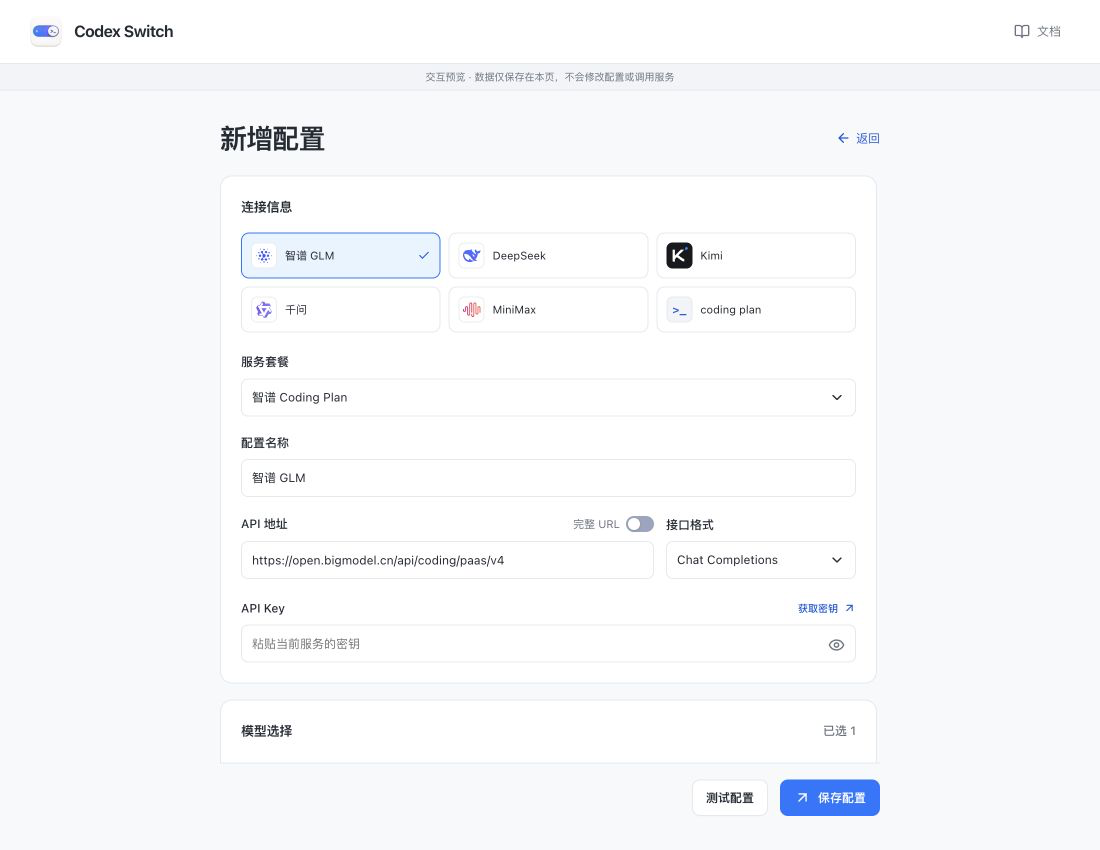
A preset does not grant model access. Availability depends on your account and plan. You can also add exact model IDs supplied by your provider.
Custom APIs
Section titled “Custom APIs”If no preset matches your service, choose coding plan and enter a name, HTTPS URL, API format, key and model ID.
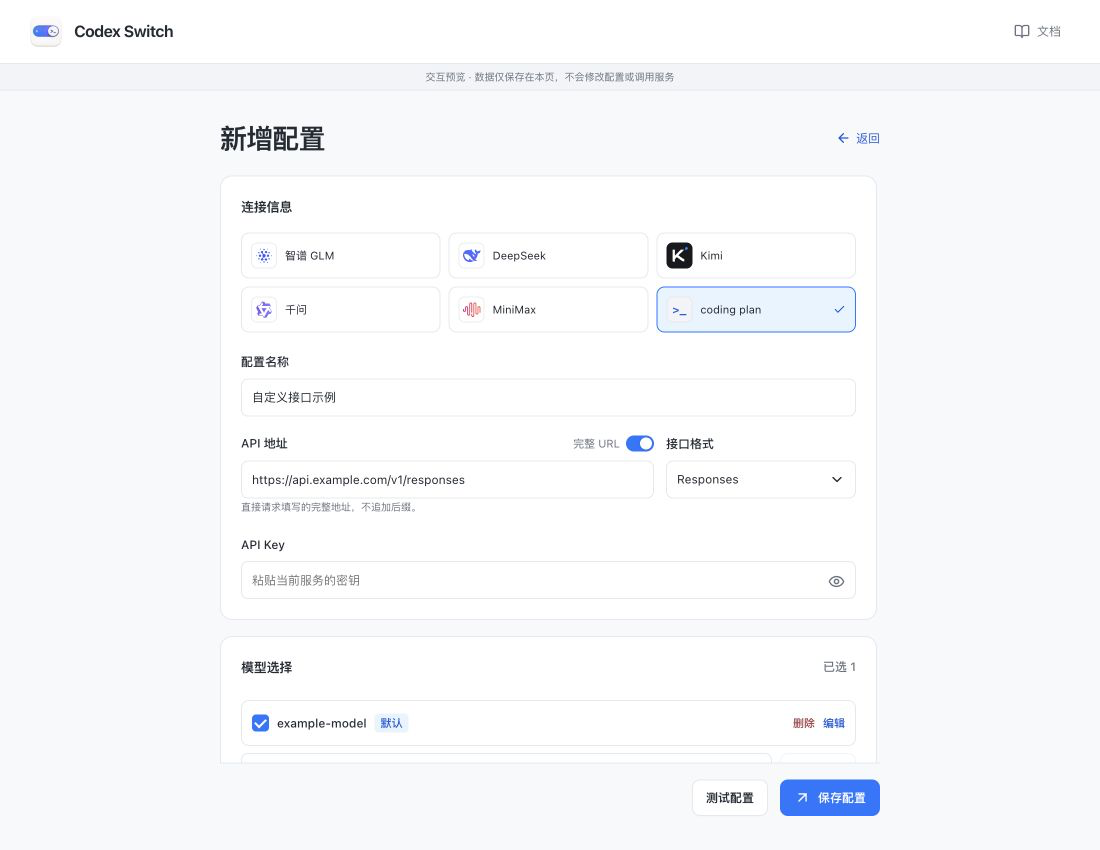
The pictured api.example.com and example-model are examples. Replace them with your provider’s values.
Which URL to enter
Section titled “Which URL to enter”| Provider information | What to enter |
|---|---|
| Responses base URL | Enter https://api.example.com/v1, choose Responses and leave Full URL off. Requests append /responses. |
| Chat base URL | Enter https://api.example.com/v1, choose Chat Completions and leave Full URL off. Requests append /chat/completions. |
| Complete request endpoint | Enter it unchanged, turn Full URL on and choose its API format. No request path is appended. |
Only external HTTPS URLs are accepted. Put the key in its own field, not in the URL. Match the API format to your provider’s instructions. Failures do not automatically change protocols or providers.
Save and check
Section titled “Save and check”- All models in a configuration share one key. Create separate configurations for different keys.
- When editing, leave the key blank to keep it. Re-enter it after changing the URL or Full URL mode.
- Test configuration checks basic text responses and may incur charges. It does not save or enable; passing does not verify every model capability.
- For 401 / 403 errors, check the key and plan permissions. For 404 errors, check the URL, API format and model ID.
See model settings to adjust capabilities.