Installation and downloads
Download Codex Switch
Section titled “Download Codex Switch”v0.3.0 was published on September 20, 2026. Choose your platform below; Codex Switch download links point to the v0.3.0 installers.
On macOS, check About This Mac for Apple Silicon (M1 or later) or Intel. The Windows installer is for x64. This release has no Linux or Windows ARM64 installer.
Codex App downloads come from OpenAI. The official guide now calls it the ChatGPT desktop app, where you can choose Codex after signing in. Install both apps to follow this guide.
Codex Switch installers are served directly by this site’s Vercel CDN, without redirecting to GitHub. Download the SHA-256 checksums to verify file integrity.
Install the app
Section titled “Install the app”If upgrading, disable the Codex Switch service and quit the app before installing.
- Download the
.dmgpackage matching your Mac’s chip. - Open it and drag Codex Switch into Applications.
- Open Codex Switch from Applications. If macOS blocks it, see the QA below.
macOS first launch: The unsigned Beta may show “damaged and can’t be opened.” See QA: how to open the app for verification and opening steps.
Windows
Section titled “Windows”- Download the installer matching your system.
- Run it and follow the installation wizard.
- Open Codex Switch from the Start menu.
First launch
Section titled “First launch”Have Codex App installed, plus a model provider API key and available credits.
On first launch, the empty workspace looks like this. Click 新增配置 (Add configuration) in the center, then follow the three-step quickstart. After saving, select the configuration and enable the service manually.
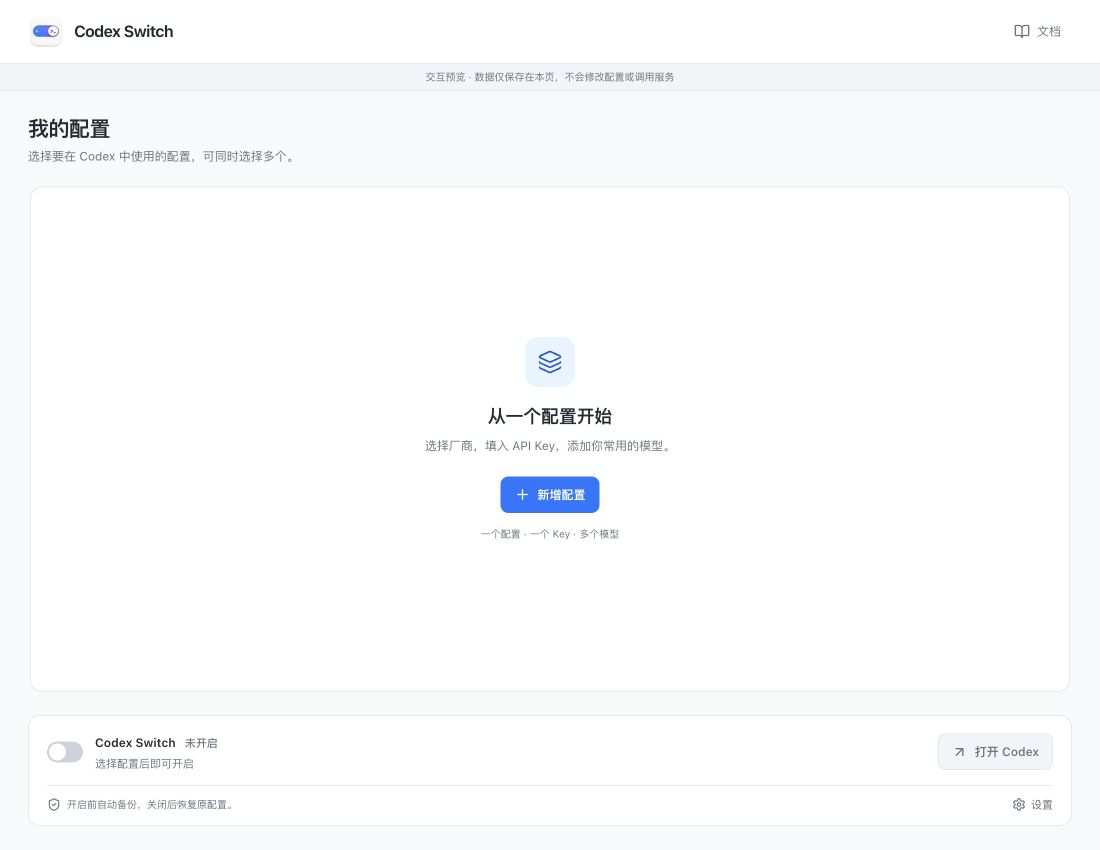
Captured from the current app UI in browser preview with example data; connection and recovery states are simulated. Click an image for the original.
The app starts in Chinese by default. Use the language button to the left of Docs to switch to English. Your choice is remembered the next time you open the app.
Update the app
Section titled “Update the app”The app checks for stable releases in the background. When a newer version is available, a blue download icon and version number appear beside the language button. Click to download the matching installer directly through your default browser, without visiting the release page. Installation and restarting remain manual.
Before installing, disable the service and quit Codex and Codex Switch normally, then follow the installation steps above. Existing configurations stay on your device, so you do not need to recreate them.
Uninstall the app
Section titled “Uninstall the app”Disable the service to restore your original configuration, then quit Codex and Codex Switch normally. Remove the app from Applications on macOS or Installed apps on Windows.
Deleting the app alone does not restore configuration or remove credentials and local app data.