Connect in three steps
Have Codex App installed, plus a provider API key and available credits. Need Codex Switch? See installation.
Saving does not enable the service. Disable it before editing configurations or settings.
macOS first launch: The unsigned Beta may show “damaged and can’t be opened.” See QA: how to open the app for verification and opening steps.
1. Add a provider and key
Section titled “1. Add a provider and key”Click Add configuration, choose your provider and plan, then enter a name and API key. Keep the preset URL for a standard service. See connect providers for plans and custom URLs.
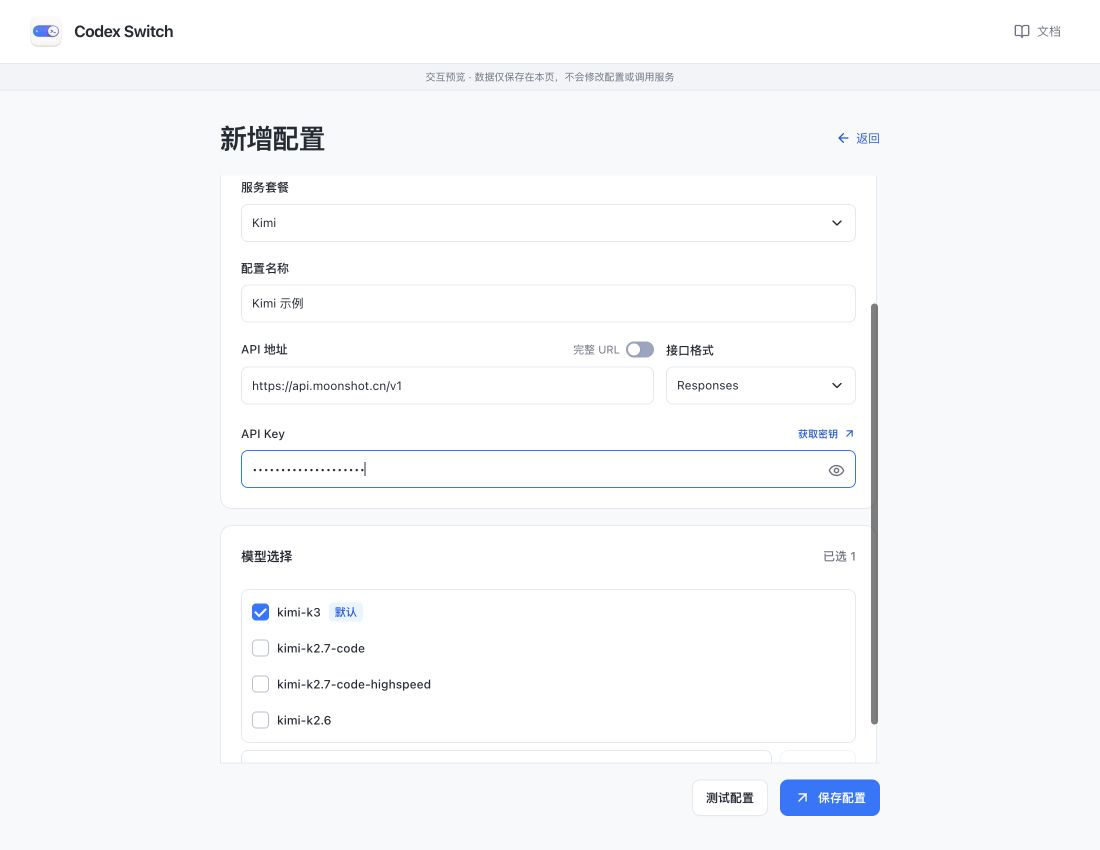
Screenshots show the Chinese app in browser preview with example data and simulated connection states. Click to enlarge.
2. Select models and save
Section titled “2. Select models and save”Select your models and click Save configuration. Add an exact model ID if it is not listed. Hover over a model row to Set as default. Preset capabilities are usually enough to get started.
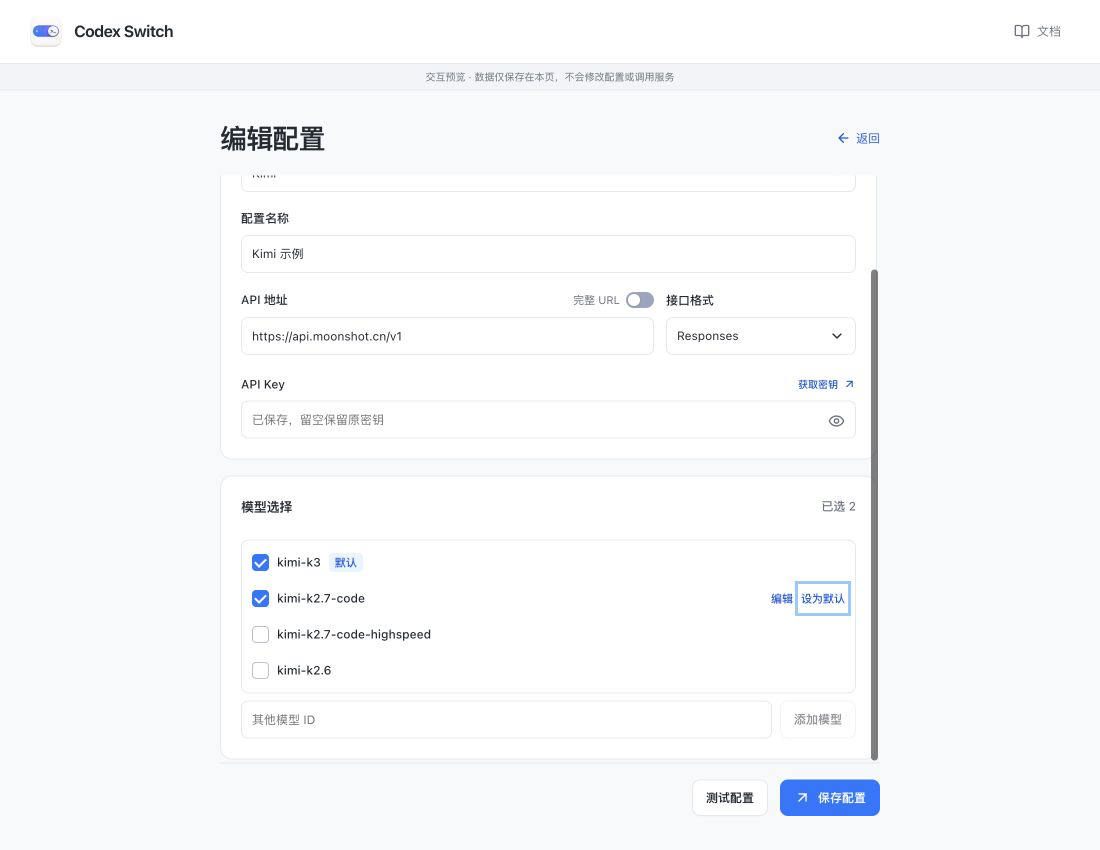
Test configuration is optional. It requests each selected model and may incur API charges; it does not save the configuration.
3. Select configurations and enable
Section titled “3. Select configurations and enable”On the home screen, select one or more configurations and turn on the bottom Codex Switch toggle. Open Codex App from your operating system. Models appear as configuration-name-model.
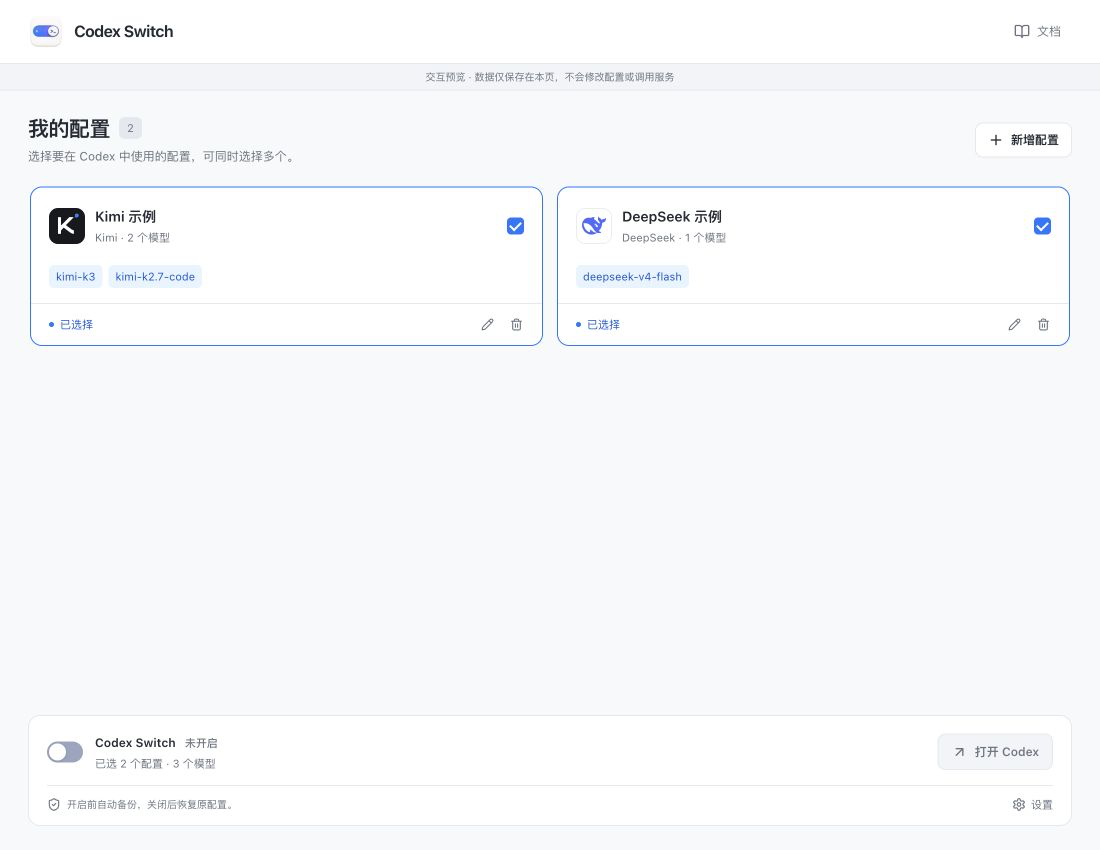
If Codex is already running, finish your task before quitting and reopening it to load the model list. Codex Switch does not restart Codex automatically.
An overlay locks editing while enabled. Turn off its service switch to restore the original configuration and edit again. See enable and disable.